Programs using times should typically store and pass them as values, not pointers. That is, time variables and struct fields should be of type time.Time, not *time.Time. A Time value can be used by multiple goroutines simultaneously.
funcTestSize(t *testing.T) { { var x byte = 0 fmt.Println("byte size is ", unsafe.Sizeof(x)) } { var x int32 = 0 fmt.Println("int32 size is ", unsafe.Sizeof(x)) } { var x int = 0 fmt.Println("int size is ", unsafe.Sizeof(x)) } { var x int64 = 0 fmt.Println("int64 size is ", unsafe.Sizeof(x)) } { var x float32 = 0 fmt.Println("float32 size is ", unsafe.Sizeof(x)) } { var x float64 = 0 fmt.Println("float64 size is ", unsafe.Sizeof(x)) } { t := time.Now() fmt.Println("time size is ", unsafe.Sizeof(t)) } }
const ( // 6 bits to represent a letter index letterIdBits = 6 // All 1-bits as many as letterIdBits letterIdMask = 1<<letterIdBits - 1 letterIdMax = 63 / letterIdBits )
funcrandStr(n int)string { b := make([]byte, n) // A rand.Int63() generates 63 random bits, enough for letterIdMax letters! for i, cache, remain := n-1, rand.Int63(), letterIdMax; i >= 0; { if remain == 0 { cache, remain = rand.Int63(), letterIdMax } if idx := int(cache & letterIdMask); idx < len(letters) { b[i] = letters[idx] i-- } cache >>= letterIdBits remain-- } returnstring(b) }
const ( // 6 bits to represent a letter index letterIdBits = 6 // All 1-bits as many as letterIdBits letterIdMask = 1<<letterIdBits - 1 letterIdMax = 63 / letterIdBits )
funcrandStr(n int)string { b := make([]byte, n) // A rand.Int63() generates 63 random bits, enough for letterIdMax letters! for i, cache, remain := n-1, src.Int63(), letterIdMax; i >= 0; { if remain == 0 { cache, remain = src.Int63(), letterIdMax } if idx := int(cache & letterIdMask); idx < len(letters) { b[i] = letters[idx] i-- } cache >>= letterIdBits remain-- } returnstring(b) }
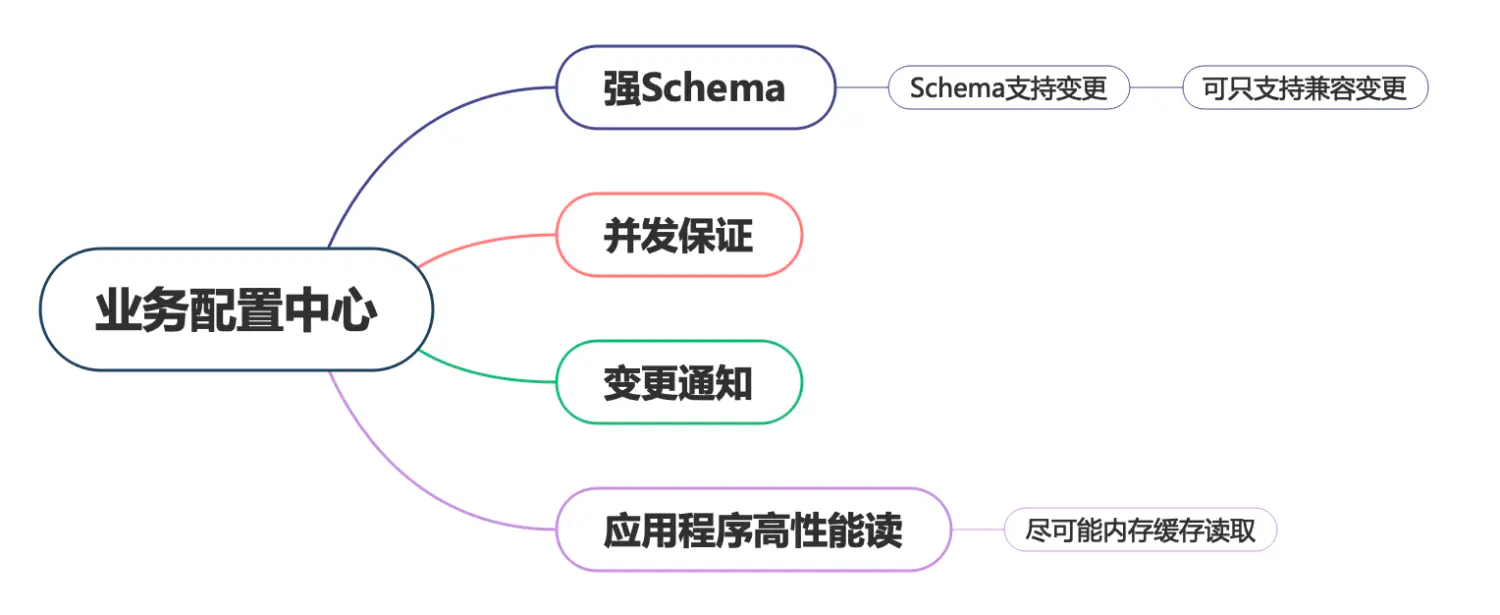
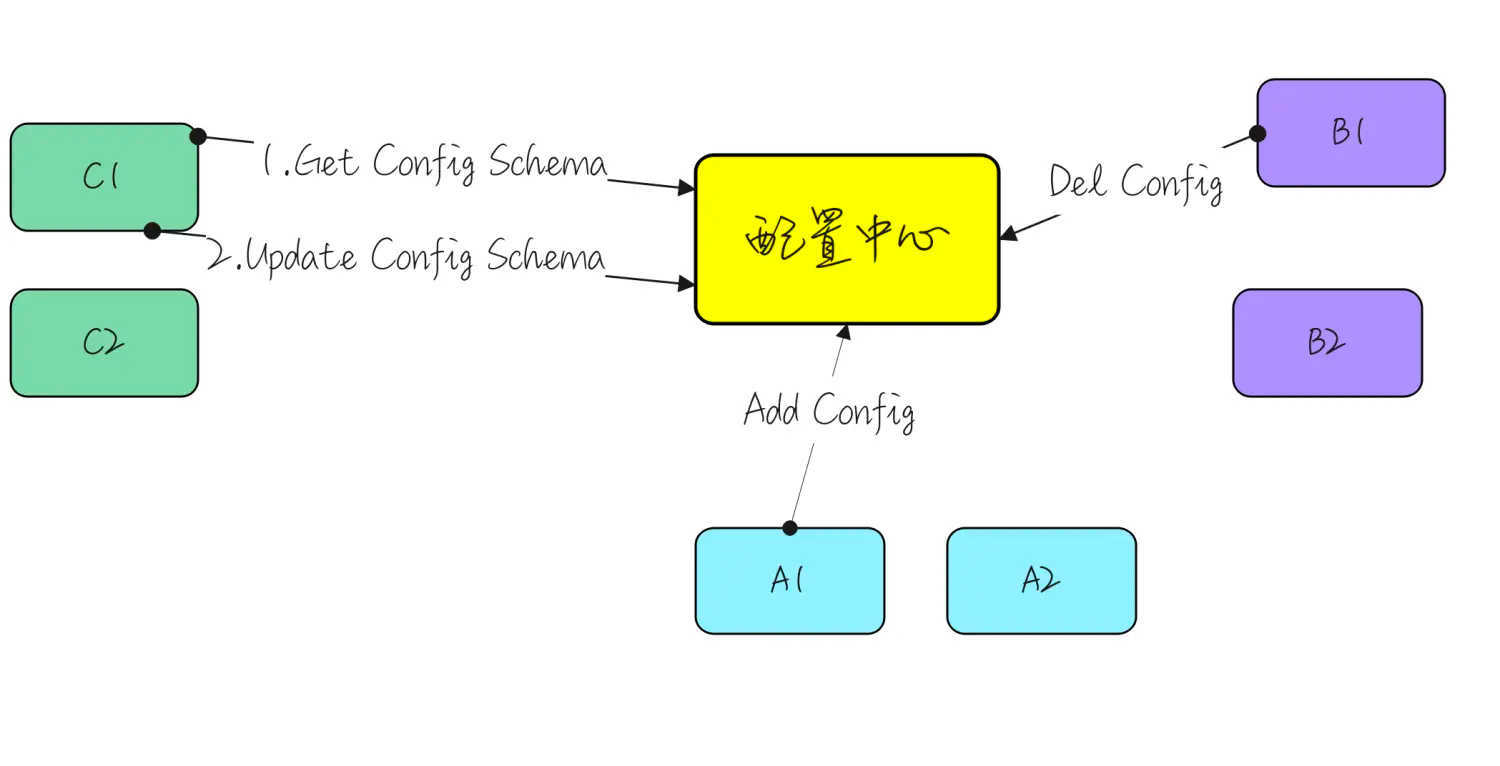
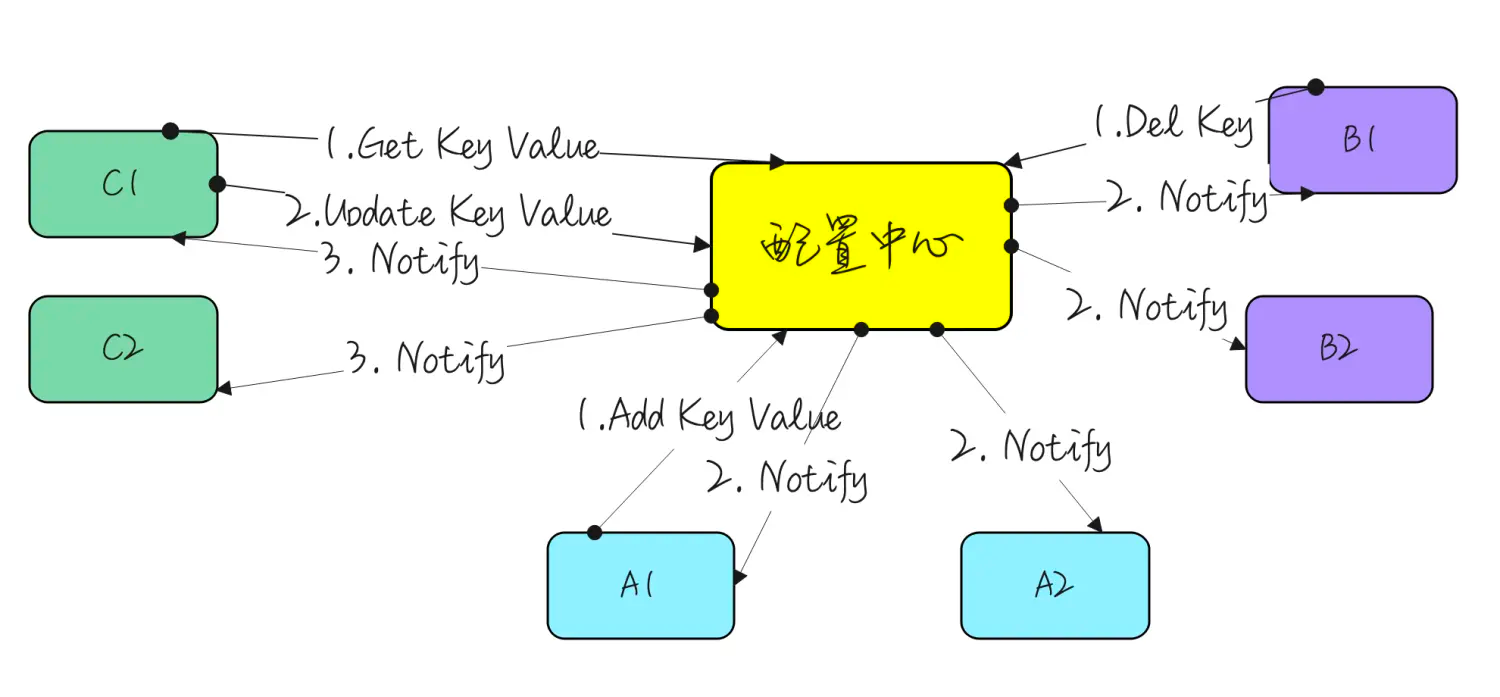
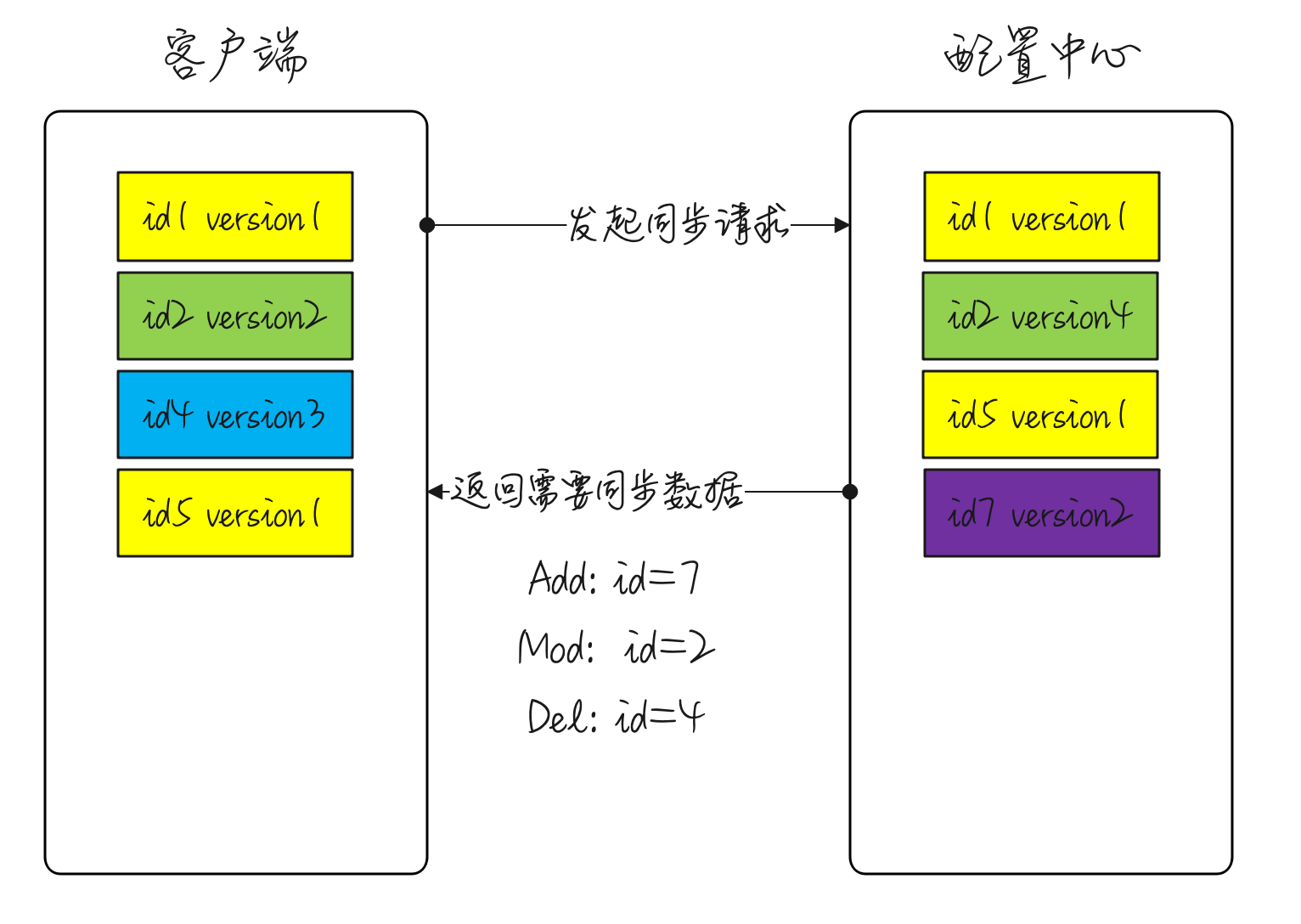
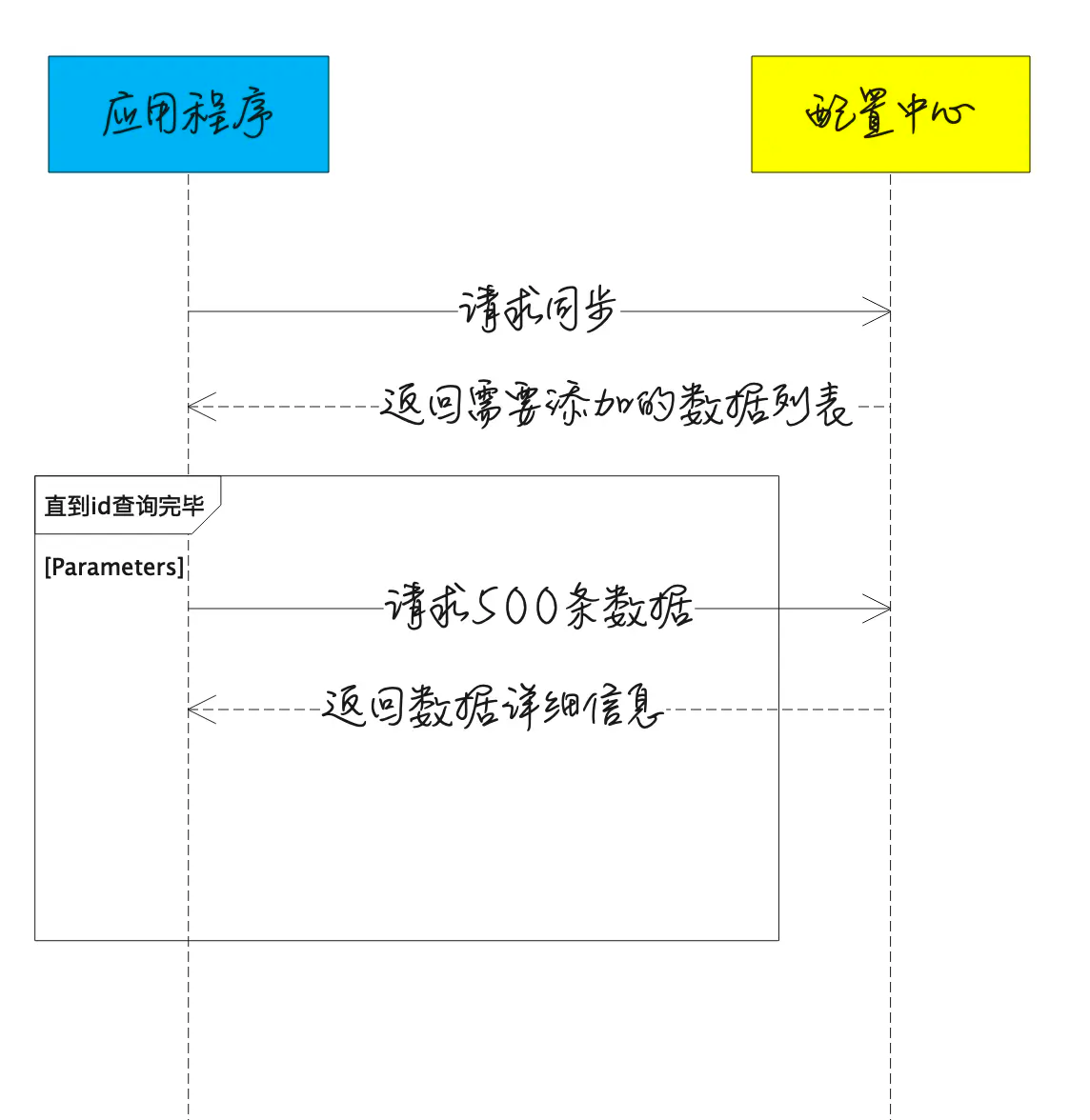
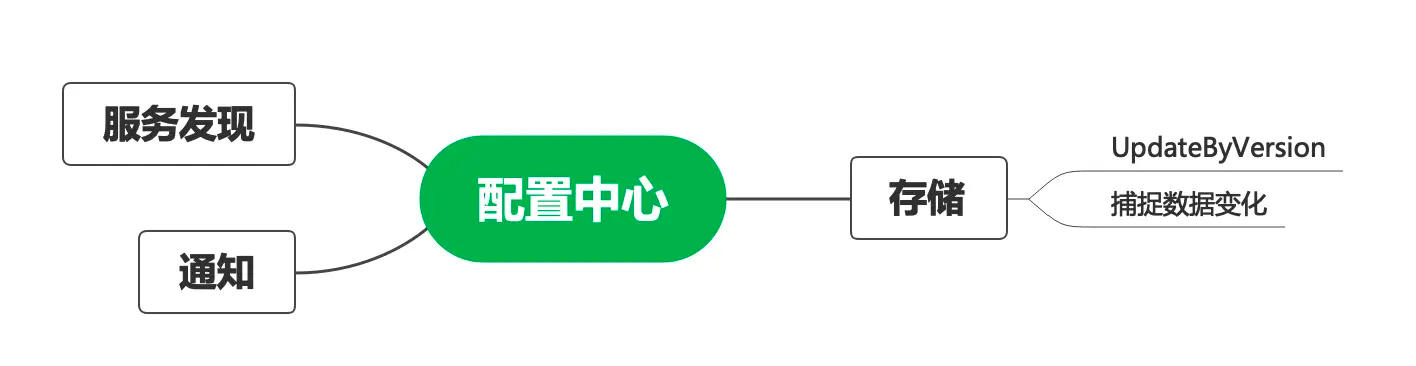
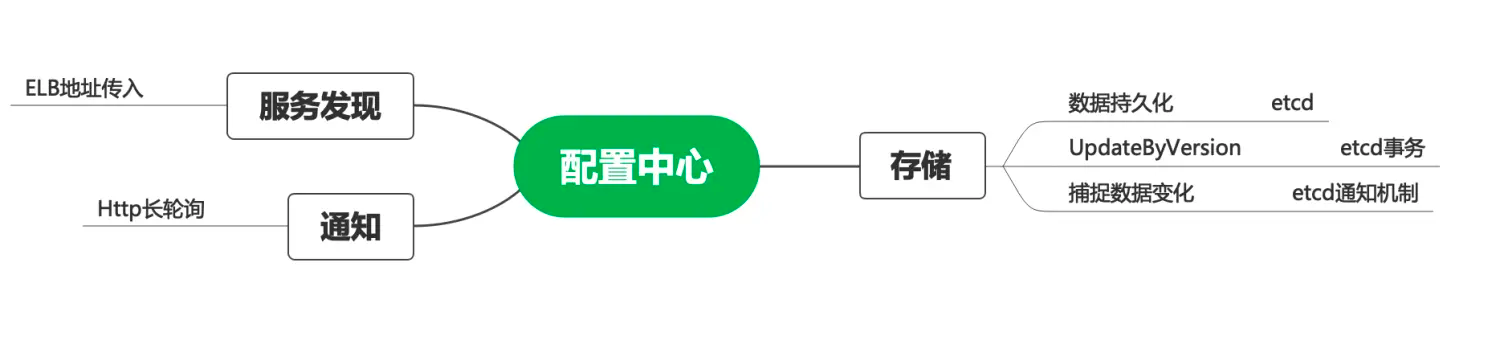
作为SaaS 服务,每个用户在上面都有一些业务配置。如用户的证书配置、用户服务器的流控配置等,这些业务配置相对运维配置来说更加复杂,且可能会有唯一性限制,如按用户 id 唯一。这部分配置数据一般由用户操作触发,代码动态写入,并且通知到各个微服务实例。通常,我们希望这些配置能在界面展示,且支持人为修改。上述逻辑如果由各微服务自己实现,会存在大量重复代码,并且质量无法保证。我们希望由一个公共组件来统一实现这个能力。开源或体量较小的项目就不会选择依赖一个配置中心,而是直接通过连接数据库或etcd来解决问题
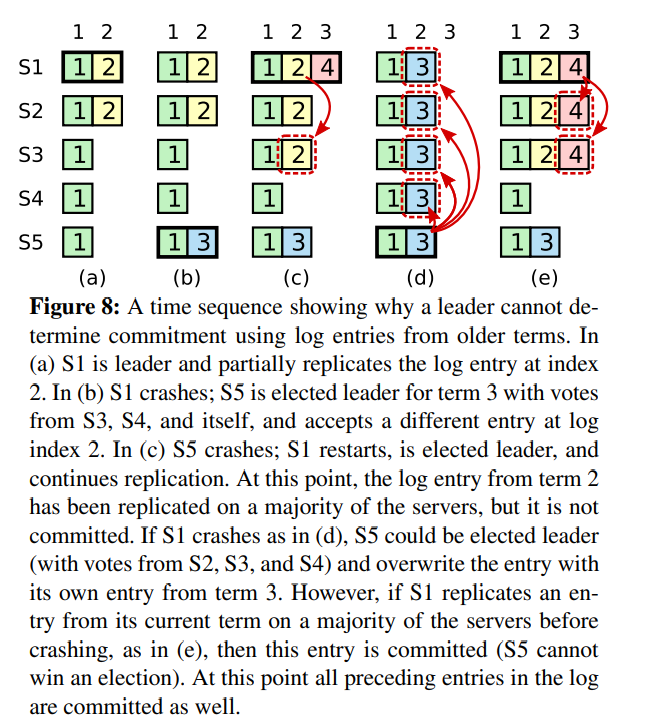
每当有新的操作发生的时候,Raft的日志就会增长,然而在实际的系统中,日志并不能无边界地增长。 快照是最简单的压缩日志的方式。在快照中,整个系统的状态写入到持久化存储的快照中,然后在这之前的日志都可以丢弃。 todo 补图 其他方式,像日志清理或lsm树。在数据的一部分子集上面执行,它们均摊了压缩日志的消耗。
Leader创建snapshot,再分发给follower。有如下两个缺点 第一,Server必须选择何时进行快照,如果服务器快照进行地太频繁,将会浪费磁盘带宽和磁盘energy。如果快照太不频繁,会浪费磁盘的存储空间,然后增加了重放日志所需的时间。如果阈值设置地大,时间周期长的话,磁盘开销小。 第二,写快照会消耗较大的时间,我们不希望这个操作延迟了正常的操作。方案是使用Copy on write技术,这样子在不影响snapshot写入的情况下,集群可以接受新的更新。
// // Created by 张俭 on 2021/4/26. // #include<stdio.h> #include<unistd.h> #include<string.h>
intmain(int argc, char *argv[]) { int i = 0; pid_t mypid = getpid(); if (argc == 1) return1; printf("argc = %d and arguments are:\n", argc); for (i; i < argc; i++) { printf("%d = %s\n", i, argv[i]); } fflush(stdout); sleep(30); printf("Replacing first argument with x:es... Now open another terminal and run: ps p %d\n", (int)mypid); memset(argv[1], 'x', strlen(argv[1])); getc(stdin); return0; }
编译并运行
1
2
3
4
5
6
7
gcc password_hide.c
[root@c77dc365cd1a sh]# ./a.out abcd
argc = 2 and arguments are:
0 = ./a.out
1 = abcd
Replacing first argument with x:es... Now open another terminal and run: ps p 55